
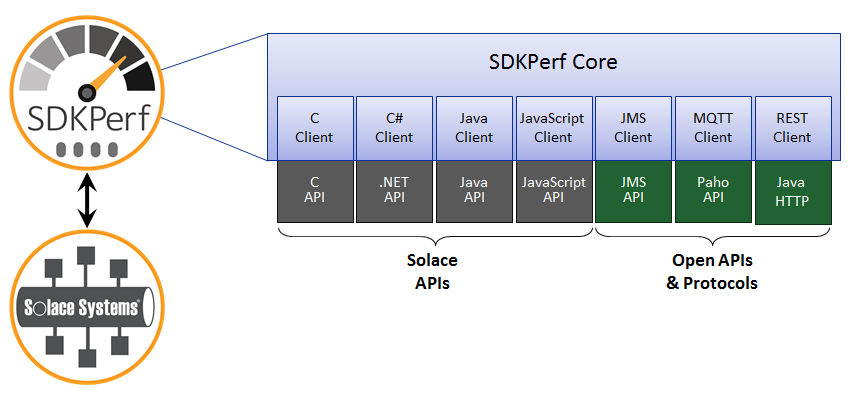
 Last week we added a really cool tool called SDKPerf to the developer portal. SDKPerf is primarily a performance testing tool, but it’s really more than that – an extensible framework that can be used to test all kinds of features and functions of Solace message platforms. That means you can use the version that matches your desired API and environment to play around with Solace messaging before you even crack open the API. It’s a great way to familiarize yourself with Solace message routers.
Those of you familiar with SDKPerf know that it is very capable, but tons of flexibility translates to an array of CLI options that can be difficult to get a handle on. To help with that we’ve packaged common options and usage examples into this SDKPerf user guide. We’ve tried to make it easy to pick up and try the tool, but if we haven’t covered something you’d like to know how to do please let us know so we can add it.
If you’re not familiar with SDKPerf you might ask why you need another performance testing tool. First, because in our experience SDKPerf has proven more capable than alternatives at measuring the extreme performance possible with Solace message router appliances. Second, because it’s built on top of all the APIs which work with Solace message routers (and is in fact used extensively by Solace’s own R&D team) you know it will evolve as our messaging platform evolves. Finally, it’s extremely lightweight and flexible.
So we invite you to download and try out SDKPerf with your Solace message router. Happy messaging.
Explore other posts from category: Products & Technology




Subscribe to Our Blog
Get the latest trends, solutions, and insights into the event-driven future every week.