
In this blog post I’m going to dive into Solace Event Portal MCP Server and explain how to integrate it with Solace Agent Mesh. If you’re new to Solace Agent Mesh, I highly recommend catching up on Ali’s foundational post before reading on.
What is an MCP Server?
Model Context Protocol (MCP) is the new open standard for connecting large language models (LLMs) to external data and tools. Think of an MCP Server as a universal “translator.” It exposes specific capabilities like database access, file systems, or enterprise APIs to an LLM via a standardized interface.
By using MCP, you eliminate the need for custom, one-off integration code every time you want to give an agent a new “skill” or use an existing API.
Why Event Portal + MCP?
Solace Event Portal MCP Server enables your LLM to design, catalog, and explore your event-driven system. By bringing Event Portal tools directly into your Agent Mesh:
- Stakeholders can “chat” with their architecture to understand event flows.
- Architects can use natural language to document new interactions.
- Developers can quickly discover and model events without leaving their IDE.
The Strategy: The “Read/Write” Split
Equipping Solace Agent Mesh with the Event Portal
To get started, add two distinct agents to your Solace Agent Mesh:
NOTE: In this example I divided the Event Portal MCP tools into 2 different agents. The extensive functionality of Solace Event Portal results in a large number of tools. Splitting the tools into smaller agents makes them accessible to more foundational models. As foundational models continue to improve their ability to handle more tools increases. Your experience will vary depending on which foundational model you select.
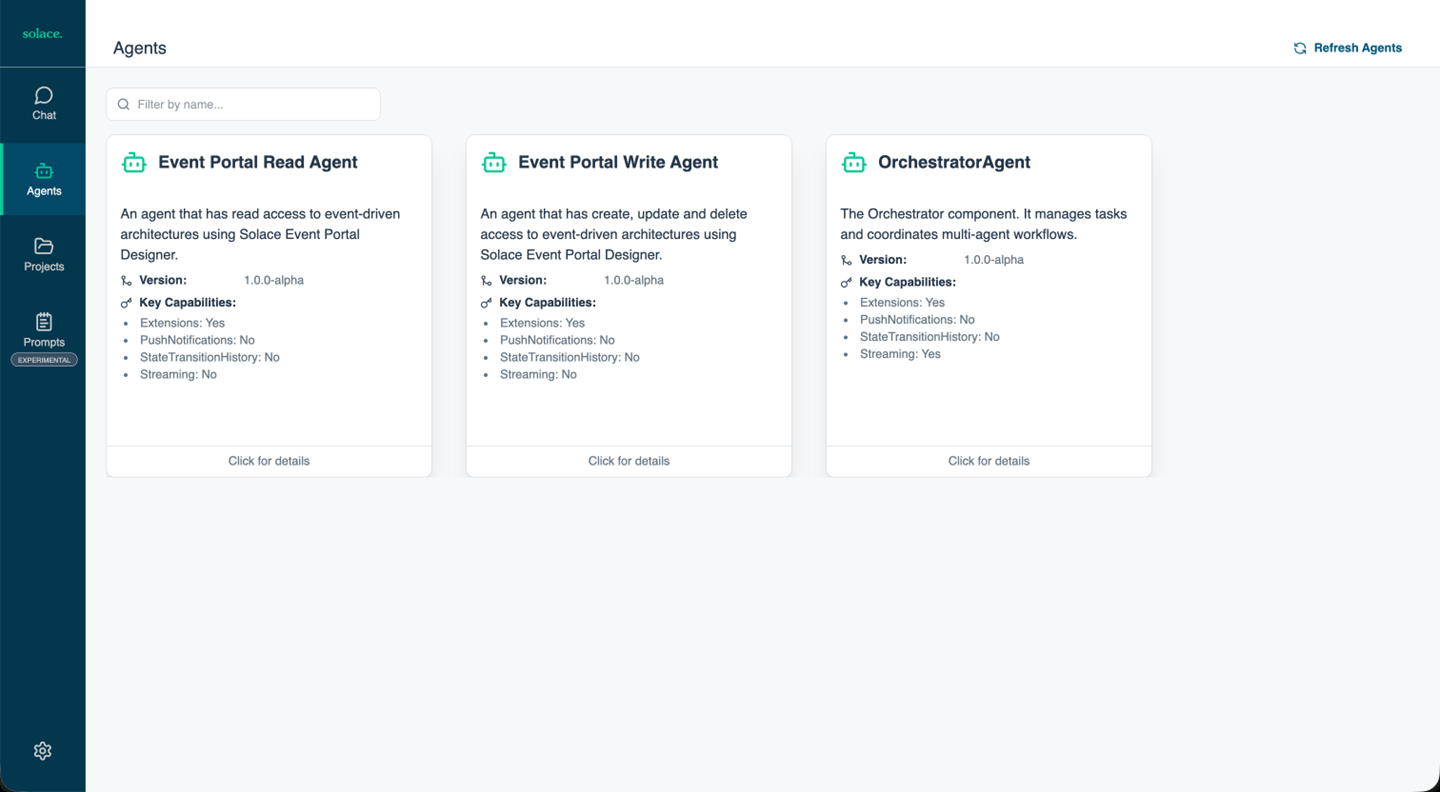
Configuration & Setup
You can configure these agents via Solace Agent Mesh GUI or by adding YAML files to your configs/agents directory.
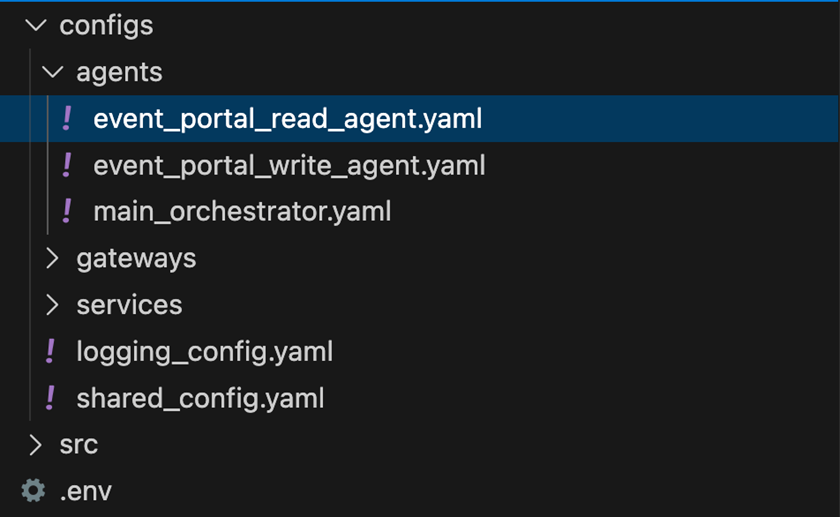
Key Configuration Details:
- App Module: Use
agent.sac.app - Tool Invocation: Invoke the server via
stdio - Command (
uvx): Useuvx(the package runner for the uv tool) to pull and execute the MCP server on the fly without needing a manual global installation. - Filtering: Use
deny_listorallow_listto restrict each agent’s scope (e.g., the Write Agent should not “see” the simple getter tools).
Note: You’ll need a Solace API Token from your Event Portal instance. Export this to your environment or include it in your .env file as SOLACE_API_TOKEN.
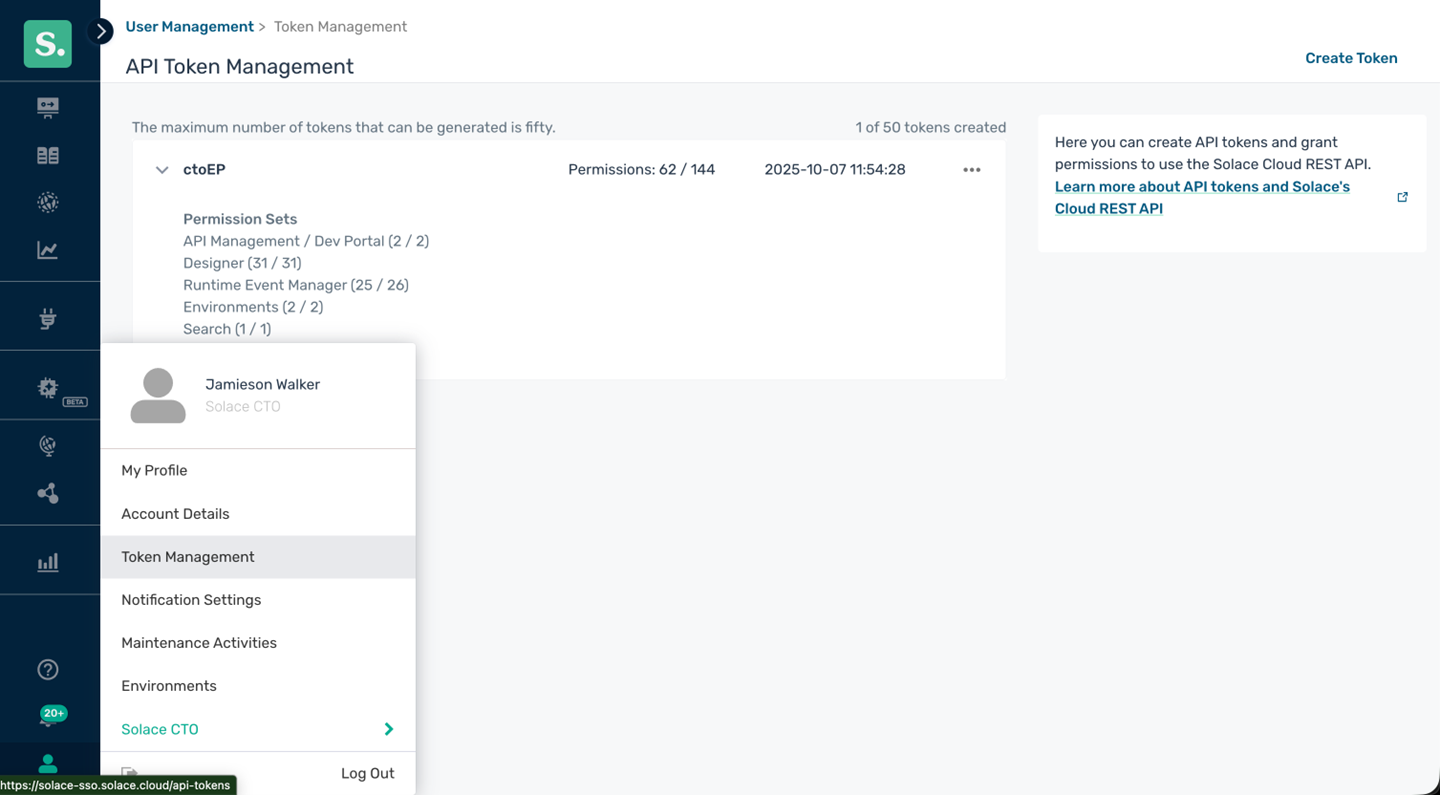
The YAML Config (Write Agent Example)
# event_portal_write_agent.yaml
log:
  stdout_log_level: INFO
  log_file_level: DEBUG
  log_file: ep-write-agent.log

!include ../shared_config.yaml

apps:
  - name: "event_portal_agent_write_app"
    app_base_path: .
    app_module: solace_agent_mesh.agent.sac.app
    broker:
      <<: *broker_connection

    app_config:
      namespace: "${NAMESPACE}"
      supports_streaming: false
      agent_name: "EventPortalAgentWrite"
      display_name: "Event Portal Write Agent"
      model: *planning_model

      instruction: |
        You are an expert in event-driven architecture and Solace Event Portal.
        You help users design, model, and manage EDAs.
        You have exclusive access to the 'write', 'update', and 'delete' tools.
        IMPORTANT: You MUST use the available tools to interact with the Solace Event Portal.
        Actually invoke the tools to get real data rather than just describing actions.

      tools:
        - tool_type: mcp
          connection_params:
            type: stdio
            command: "uvx"
            args:
              - "--from"
              - "solace-event-portal-designer-mcp"
              - "solace-ep-designer-mcp"
          timeout: 300
          # Deny 'get' tools so this agent stays focused on writing
          deny_list:
            - getApplicationDomains
            - getApplicationDomain
            - getApplicationVersions
            - getAsyncApiForApplicationVersion
            - getApplicationVersion
            - getApplications
            - getApplication
            - getEventVersions
            - getEventVersion
            - getEvents
            - getEvent
            - getSchemaVersions
            - getSchemas
            - getSchema
          environment_variables:
            SOLACE_API_TOKEN: ${SOLACE_API_TOKEN}

      session_service:
        type: "sql"
        default_behavior: "PERSISTENT"
        database_url: "${EVENT_PORTAL_AGENT_DATABASE_URL, sqlite:///event_portal_gui.db}"

    agent_card:
      description: "Expert agent for creating, updating, and deleting Event Portal entities."
      defaultInputModes: [text]
      defaultOutputModes: [text, file]

    agent_discovery: { enabled: true }
    inter_agent_communication: { allow_list: ["*"] }
Putting it into Action
Once your .yaml files are in place, start the event mesh:
sam run
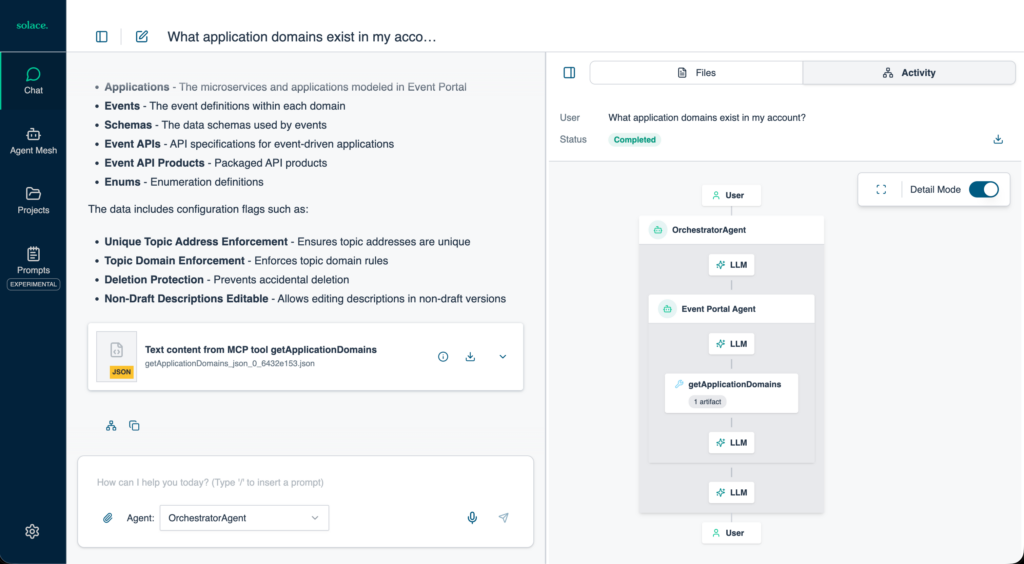
Now, try testing the collaboration between the agents with these prompts:
-
- “What application domains exist in my account?” (Read Agent handles this)

- “What application domains exist in my account?” (Read Agent handles this)
- _”Create a new application domain called
SAM Architectureand add applications forEvent Portal Write Agent,Event Portal Read AgentandSAM Orchestrator Agent
Check your Event Portal GUI—you’ll see the new components appearing in real-time!
What’s Next?
This setup is just the foundation of working with Solace Event Portal through Solace Agent Mesh. Experiment with your installation to see what is possible in your workflows. If you would like some inspiration, my follow-up post explores more advanced activities you can execute with Solace Agent Mesh and the Event Portal MCP Server. As a reminder, here are yaml files for the write and read agents:
If you have any questions along the way or would like to share your experience come join the conversation on our Event Portal MCP Server with Solace Agent Mesh thread.
Explore other posts from categories: Artificial Intelligence | Event Portal | For Developers




Subscribe to Our Blog
Get the latest trends, solutions, and insights into the event-driven future every week.